Skip to product information
1 of 8

AuraPrint Pocket Press

AuraPrint Pocket Press

Inkless Bluetooth Mini Printer • Peel-&-Stick Paper
Regular price ÂŁ25.99 GBP
Regular price Sale price ÂŁ25.99 GBP
Sale Sold out
Taxes included.

AuraPrint Pocket Press

Turn ideas into instant stickers, labels, notes, and mini photos—straight from your phone.

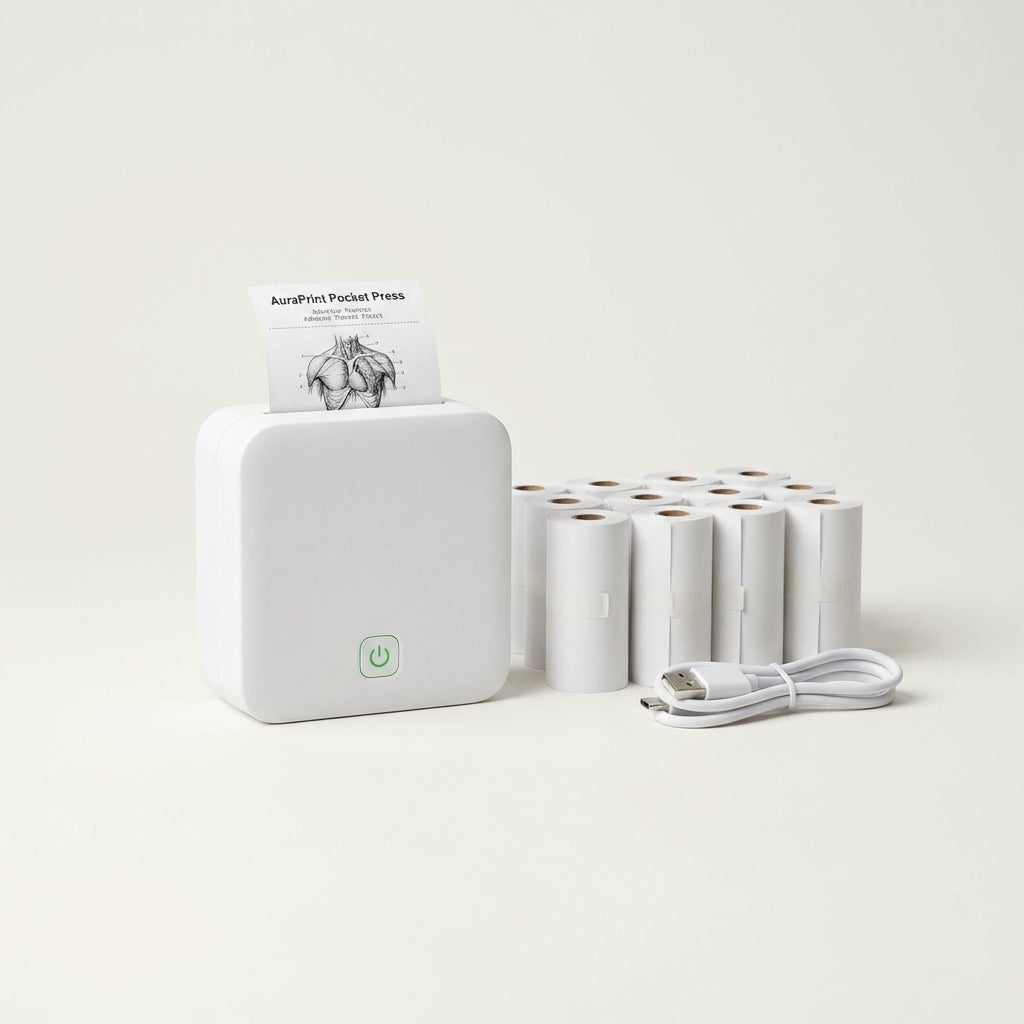
  • Ultimate paper bundle: includes 10 rolls so you can print nonstop.
  • Bluetooth 5.0: fast, stable pairing for tap-to-print convenience.
  • Pocket-sized: just 3.3" Ă— 3.3"—take it anywhere.
  • Cut, peel, stick: adhesive paper for clean, mess-free organization.
High demand: the 10-roll bundle sells out quickly—secure yours while stock is available.
âś” Inkless thermal printingâś” App templates + DIY editorâś” Great for school, home, and small biz
What customers say
“Perfect for labels and pantry organization.”
Bluetooth connected in seconds and the stickers actually stay put. I went through a whole labeling spree and still have paper left.
— Maya R.
“My study notes look 10× clearer.”
I print headings, diagrams, and quick checklists. The app templates save time and the size is genuinely pocketable.
— Jordan K.
“Bought it for scrapbooking—now I use it daily.”
Text recognition is surprisingly accurate. I snap a page, select the text, and print quotes as stickers.
— Alina S.

What’s included in the Ultimate Package

You get the AuraPrint Pocket Press plus 10 rolls of adhesive thermal paper—so you can focus on creating instead of re-ordering. It’s the easiest way to start printing labels, stickers, and notes right out of the box.

Inkless printing that stays clean and simple

Thermal printing means no ink cartridges, no smudges, and no messy refills. Just load a roll, close the lid, and print crisp designs you can peel and stick anywhere.

Fast setup in minutes (load, pair, print)

View full details

Your pocket-sized productivity + creativity upgrade

AuraPrint Pocket Press turns everyday moments into organized, shareable, stickable prints—shopping lists on the fridge, labels on storage bins, mini photos in your journal, and clean study notes that actually make sense at a glance.

Print, peel, stick—then move on with your day

The adhesive paper is made for real life: quick labels for cables, drawers, jars, and kids’ supplies—plus instant stickers for scrapbooks and planners. Cut the length you want, peel the backing, and place it cleanly without glue or tape.

Bluetooth 5.0 that just connects

Pair in seconds and print directly from your compatible smartphone. The stable Bluetooth 5.0 connection keeps your workflow smooth—whether you’re batch-printing labels or firing off a single reminder note.

A powerful app built for makers

Drag, rotate, and zoom your designs with a fingertip. From quick text to image-based prints, AuraPrint helps you create polished results without a learning curve.

Photo-to-text recognition
Snap a page or sign and print the text as a clean sticker—great for quotes, formulas, and receipts.
AI-assisted creativity
Generate fresh visuals from prompts, turn selfies into cartoon-style prints, or simplify images into line art.
40+ label & to-do templates
Create tidy lists, name tags, pantry labels, and planner stickers in seconds.
500+ design materials
Mix icons, frames, fonts, and patterns to build a look that feels uniquely yours.

Tiny footprint. Big output.

At just 3.3" × 3.3", AuraPrint Pocket Press fits in a bag, desk drawer, or travel pouch—ready whenever inspiration hits or organization can’t wait.

Made for everyday use cases

  • Scrapbooks & DIY: print captions, icons, and themed stickers on demand.
  • Shopping lists & recipes: stick reminders where you’ll actually see them.
  • Study notes: add headings, diagrams, and key terms for more visual learning.
  • Instant labels: storage bins, cables, chargers, files, and kids’ items—done in minutes.
  • Mini photos: print and place memories in journals, cards, and gifts.

Start printing in four simple steps

Collapsible content

1) Load the roll in seconds

Lift the lid, drop the paper roll into the holder with the printable side facing correctly, and pull a small edge out. Close the lid until it clicks—no tools, no fuss.

2) Power on and get ready

Press and hold the power button to turn AuraPrint Pocket Press on. The compact body is easy to hold steady while you set up.

3) Download the companion app

Use the QR code in the user manual to install the app. You’ll get templates, DIY editing tools, and creative features like photo-to-text and AI effects.

4) Pair via Bluetooth and tap Print

Connect from the top-right menu in the app, choose your design, and print instantly. From labels to lists, it’s one tap from idea to sticker.

Troubleshooting tips (quick fixes)

If prints look faint or blank, re-seat the roll and confirm the printable side is facing the correct direction. If pairing fails, toggle Bluetooth off/on and reconnect inside the app—Bluetooth 5.0 typically re-pairs fast.